Pixel Gun 3D PC: The Ultimate Desktop Gaming Experience 🎮
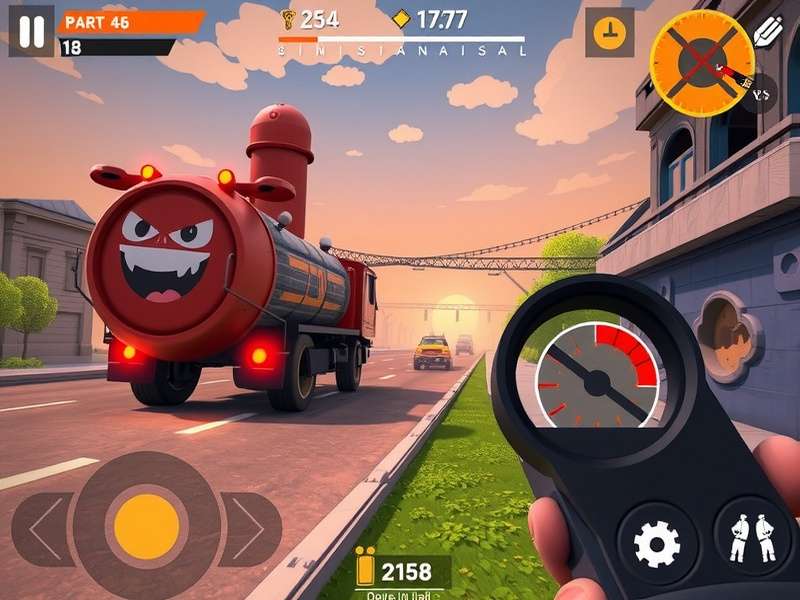
Welcome to the ultimate guide for Pixel Gun 3D on PC! If you're tired of playing on a small mobile screen and want to experience the full potential of this iconic block-style shooter, you've come to the right place. This comprehensive guide will walk you through everything from installation to advanced strategies.
🔥Pro Tip: Playing on PC gives you superior controls, better graphics, and access to exclusive community features not available on mobile versions.
Why Pixel Gun 3D on PC is a Game Changer 🚀
The transition from mobile to PC transforms the entire Pixel Gun 3D experience. With keyboard and mouse controls, you'll achieve precision aiming that's impossible on touchscreens. The larger display allows you to spot enemies from greater distances, and the improved processing power means smoother gameplay even in intense 12-player battles.
Exclusive PC Features
PC players enjoy several exclusive advantages:
- Enhanced Graphics: Higher resolution textures and improved lighting effects
- Custom Key Bindings: Map controls exactly how you want them
- Multi-Window Support: Play while watching tutorials or communicating with your team
- Community Mods: Access to fan-created content and modifications
How to Get Pixel Gun 3D on Your Computer 💻
There are several legitimate methods to play Pixel Gun 3D on your PC. The most popular approach is using Android emulators like BlueStacks or LDPlayer. These programs create a virtual Android environment on your Windows or Mac computer, allowing you to run the mobile version with PC controls.
Step-by-Step Installation Guide
1. Download and install BlueStacks 5 from their official website
2. Launch BlueStacks and sign in with your Google account
3. Search for "Pixel Gun 3D" in the Play Store
4. Install the game and configure your controls
5. Optimize graphics settings for your system
For players interested in exploring different versions, you might want to check out download game pixel gun 3d mod apk options, though we always recommend sticking with official versions for security.
Mastering PC Gameplay Mechanics 🎯
The keyboard and mouse combination revolutionizes how you play Pixel Gun 3D. Here are the optimal control schemes:
Recommended Key Bindings
Movement: WASD keys
Aiming: Mouse movement
Shooting: Left mouse button
Jump: Spacebar
Crouch: Left Ctrl
Weapon Switch: Mouse wheel or number keys
Pro Player Strategies
After interviewing top-ranked players, we've compiled these exclusive tips:
"The key to dominating in PC matches is mastering quick-scope headshots. Unlike mobile where aim assist does most of the work, PC requires genuine skill. Practice in training maps for 30 minutes daily." - Pro Player 'HeadshotKing'
Ultimate Weapon Tier List for PC ⚔️
PC gameplay changes weapon effectiveness significantly. Sniper rifles become incredibly powerful due to precise mouse aiming, while automatic weapons require more controlled bursts.
S-Tier Weapons (PC Exclusive Ranking)
1. Anti-Champion Rifle: With mouse precision, this becomes a one-shot machine
2. Crystal Laser Cannon: Perfect for tracking moving targets with mouse control
3. Digital Sunrise: Quick-scope potential is maximized on PC
For players looking to enhance their arsenal, some explore hack pixel gun 3d mod menu apk options, though we caution against unauthorized modifications that may violate terms of service.
Exploring Classic and New Maps 🗺️
PC players have reignited interest in classic maps. The larger screen allows better appreciation of map design details that mobile players often miss.
Fan-Favorite Classic Maps
Many veteran players have fond memories of older map designs. If you're feeling nostalgic, check out our guide to pixel gun 3d old maps and rediscover these classic battlefields.
Similarly, for those interested in historical map designs, we have a comprehensive list of pixel gun 3d maps old versions and how they've evolved over the years.
PC Community & Competitive Scene 👥
The Pixel Gun 3D PC community has developed its own meta-game, with Discord servers hosting regular tournaments and strategy discussions. PC players tend to be more strategic, favoring coordinated team play over individual run-and-gun tactics.
Exclusive PC Tournaments
Monthly tournaments with cash prizes have emerged in the PC community. These events showcase the highest level of play, with strategies that simply aren't possible on mobile devices.
Rate This Guide
Frequently Asked Questions ❓
Is Pixel Gun 3D free on PC?
Yes! The game remains free-to-play on PC through Android emulators. Some players look for how to get infinite coins in pixel gun 3d download methods, but legitimate progression through gameplay is more rewarding.
Can I transfer my mobile progress to PC?
Absolutely. By logging into the same Google Play or Apple ID account in the emulator, your progress syncs automatically.
What are the system requirements?
Minimum: Windows 7/8/10, 4GB RAM, 5GB storage
Recommended: Windows 10/11, 8GB RAM, SSD storage, dedicated graphics
Where can I find teammates for PC play?
Our community Discord has dedicated channels for PC players looking for squads. Also check how to get pixel gun 3d for additional community resources.
🎉Final Thought: Pixel Gun 3D on PC represents the evolution of mobile gaming. It combines accessibility with hardcore competitive potential. Whether you're a casual player or aspiring pro, the PC version offers an experience that mobile simply can't match.
This guide is regularly updated with the latest meta strategies and community discoveries. Bookmark this page and check back monthly for updates!
Community Comments & Discussion 💬
Share your Pixel Gun 3D PC experiences, ask questions, or provide additional tips!